
When the Budget Is Gone Before the Leads Arrive
Most business owners don’t log into Google Ads every day. They set a monthly budget, glance at a report, and judge success by a simple question: is the phone ringing? When it isn’t ringing enough, the usual response is to spend more, switch to a new campaign type, or hire someone new to “fix the ads.”
That reaction is understandable, and it’s often expensive. In competitive categories across Tampa Bay, such as home services, legal, medical, and real estate, click prices keep rising, and more advertisers compete for the same searches. A budget that produced steady leads a few years ago can now disappear by mid-month with little to show for it.
That’s digital fatigue from the advertiser’s side. You’re paying more for each click, buyers are more selective about what they click, and the platform keeps introducing automated features that promise better results while giving you less visibility into where the money goes. The account becomes a black box you fund and hope for the best.
The good news is that most wasted spending isn’t mysterious. It tends to come from the same handful of problems, and they show up in account after account regardless of industry. We call them Google Ads red flags: settings, habits, and blind spots that quietly drain budget without anyone noticing until results slip.
You don’t need to be a PPC specialist to spot them. You need to know where to look and what questions to ask, whether you manage the account yourself, have someone in-house, or pay an outside provider. Before getting to the five flags, it helps to understand why waste survives for so long in the first place.

Why Wasted Spend Hides in Plain Sight
Wasted spend rarely announces itself. Ads keep running, clicks keep coming in, and the dashboard shows numbers that look like activity. The waste hides in the gap between what the platform reports and what your business actually needs.
There are a few reasons that gap persists.
Defaults favor spending, not efficiency. Many campaign settings ship with defaults that broaden reach: wider location targeting, extra ad networks, and loose keyword matching. Broader reach isn’t automatically bad, but for a local business with a defined service area, it often means paying for clicks that can never turn into customers.
Reports measure activity, not outcomes. Impressions, clicks, click-through rate, and platform-reported conversions all look like progress. Unless someone connects them to real leads and closed jobs, an account can look healthy while the cost per customer climbs month after month.
Nobody is reading the details. The most revealing data in Google Ads, such as the actual searches that triggered your ads, where clicks came from, and which hours produced leads, sits a few clicks deep. Busy owners rarely look, and some providers don’t either.
Ownership is unclear. We still see businesses that don’t have admin access to their own ad account, or that can’t say what changed in the last 90 days. If you can’t see the account, you can’t evaluate it.
[STRATEGIST WARNING] The two most expensive habits we see: raising the budget to fix poor results, and judging the account by platform-reported conversions alone. The first multiplies whatever waste already exists, so every new dollar is partly spent on the same leaks. The second lets an account report a steady stream of “conversions” while the actual number of paying customers stays flat, which means you can lose money for months before anyone notices.
With that context, here are the five red flags to check first.
The Google Ads Red Flags That Drain Your Budget
Each of these is common, fixable, and worth checking before you spend another dollar. For each one, we’ve included what to look for and what a better setup looks like.
Red flag: your conversion tracking counts the wrong things
What to look for: Open the conversions section and look at what’s being counted. Common problems include counting page views or button clicks as conversions, counting every call regardless of length, double-counting the same form submission, or having no tracking at all.
Why it matters: Google’s automated bidding learns from whatever you tell it is a success. If a two-second accidental call counts the same as a booked job, the system will happily find more accidental calls. Your reported cost per conversion looks great while real leads stay flat.
What better looks like: Track meaningful actions only: completed forms, calls above a minimum duration, booked appointments. Wherever possible, feed real outcomes, such as qualified leads or closed jobs, back into the platform so bidding can optimize toward customers rather than clicks. Good google ads management starts here, because every other decision depends on trustworthy data.
Red flag: your search terms report is full of surprises
What to look for: The search terms report shows the actual queries people typed before clicking your ad. If you see searches for jobs, free advice, DIY instructions, unrelated services, competitors you didn’t intend to target, or locations you don’t serve, you’re paying for them.
Why it matters: Broad keyword matching can connect your ads to a wide range of loosely related searches. Each irrelevant click costs the same as a real buyer’s, and in competitive categories those clicks add up fast. This is where a large share of wasted ppc traffic comes from.
What better looks like: Review search terms regularly, build and maintain negative keyword lists, and use tighter match types where broad matching pulls in noise. Organize campaigns by service so you can control which searches trigger which ads. This kind of ongoing discipline is the core of professional pay-per-click campaign management, and it’s the part most often skipped.
Red flag: your settings are spending outside your market
What to look for: Check three settings in particular. First, location targeting: Google’s location options can include people who show interest in your area, not only people physically in it, so a St. Petersburg plumber may be paying for clicks from people elsewhere who simply searched the city name. Second, networks: Search campaigns can be opted into search partners and display placements, which behave very differently from Google search. Third, ad schedule: are you spending heavily at hours when nobody answers the phone?
Why it matters: Each of these can quietly route budget to clicks that are unlikely to convert. They’re easy to miss because they’re set once, at campaign creation, and rarely revisited.
What better looks like: Target people physically in or regularly in your service area, review network performance separately and keep only what produces leads, and align ad scheduling with when your team can respond. Search Engine Journal regularly covers Google Ads settings and their pitfalls, and the recurring advice is the same: never assume the defaults fit your business.
Red flag: every ad sends people to your homepage
What to look for: Click your own ads (from a separate browser or using the preview tool so you don’t pay for the click) and see where they land. If emergency repair ads, maintenance ads, and new-installation ads all go to the same homepage, that’s a red flag. So is a landing page that’s slow on mobile, buries the phone number, or doesn’t mention the service in the ad.
Why it matters: Landing page experience is one of the components of Google’s Quality Score, alongside expected click-through rate and ad relevance. A poor match between ad and page can raise what you pay per click and lower how many visitors convert. You pay more and get less.
What better looks like: Build dedicated pages for each core service that repeat the ad’s promise, load quickly on phones, show real proof such as reviews, credentials, and project photos, and make calling or booking obvious from the first screen. Strong website design and development is what turns paid clicks into leads instead of bounces.
Returning visitors who still have a question are another opportunity. Live chat conversion gives people who won’t call a way to engage on the spot, and a well-run live chat lead conversion setup can capture leads that would otherwise leave the page.
Red flag: automation is running without supervision
What to look for: Check whether the account automatically applies Google’s recommendations, whether automated campaign types are running without brand exclusions or clear reporting, and whether anyone can explain why budget shifted from one campaign to another last month.
Why it matters: Automation is powerful, and used well it can improve results. But automated recommendations are designed to grow usage of the platform, and they aren’t always aligned with your margins. Fully automated campaigns can also spend on branded searches you’d likely win anyway, or on placements you’d never choose, while offering limited visibility into what’s happening.
What better looks like: Turn off auto-applied recommendations and review them manually instead. Give automated campaigns clean conversion data, sensible guardrails, and regular human review. Automation should work for your business goals, not replace oversight of them.
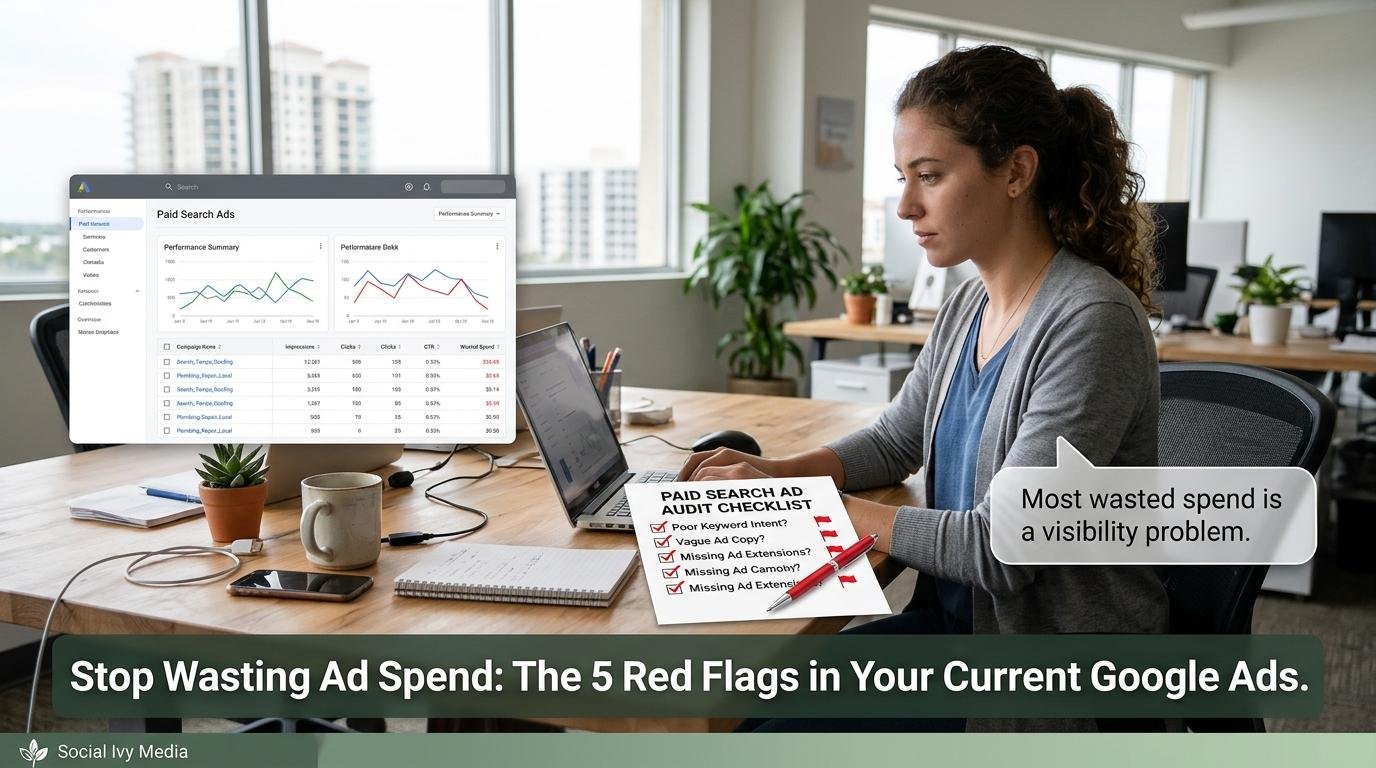
Most wasted ad spend isn’t a bidding problem; it’s a visibility problem. When you can see what you’re paying for, which searches, which places, which pages, which outcomes, the waste usually becomes obvious, and fixing it costs far less than outspending the competition.
The Real Cost of “Good Enough” Google Ads
“Good enough” Google Ads accounts don’t look broken. They spend their budget, report some conversions, and produce a few leads. The real cost is in what that same budget could produce if the leaks were fixed.
Think about it this way. If even a modest share of your monthly budget goes to irrelevant searches, out-of-area clicks, or traffic that lands on a page that doesn’t convert, that money buys nothing. Over a year, that waste can equal several months of spend. And because automated bidding learns from the results, waste can compound: poor data leads to poor optimization, which leads to more poor data.
The market isn’t getting cheaper either. Statista has tracked sustained growth in search and digital advertising spend, which means more competition for the same buyers. In that environment, efficiency is often a bigger advantage than budget size.
Here’s an illustration, not a forecast. Suppose a business spends $5,000 a month and 20% of that goes to irrelevant searches and out-of-area clicks. That’s $1,000 a month, or $12,000 a year, buying nothing. Redirect that money to well-targeted searches with a stronger landing page, and the same total budget can produce noticeably more qualified leads. Your actual waste rate could be higher or lower; checking for Google Ads red flags is how you find out.
The comparison below uses illustrative estimates, not measured client results. Assumptions: a local service business in a competitive category, a moderate monthly budget, and an average job value in the low thousands.
| Scenario | Typical Result | Cost of Inaction | Time to ROI |
|---|---|---|---|
| Amateur / DIY Approach | Default settings, broad keywords, loose conversion tracking, one landing page, auto-applied recommendations | Estimated: a meaningful share of monthly spend on clicks that can’t convert, plus automated bidding trained on poor data | Often unclear, because cost per customer is never measured |
| Social Ivy Approach | Clean tracking tied to real leads, regular search term review, tightened settings, service-specific landing pages, supervised automation | Estimated: less wasted spend and more qualified leads from the same budget | Depends on industry, budget, competition, and implementation; waste reduction typically shows before broader performance gains |
Waste in digital advertising isn’t only a small-business issue. The ANA has published research on inefficiency and transparency in digital media buying, and the lesson applies to any account size: if you can’t see where your money goes, you can’t be confident it’s working.
The questions to ask whoever manages your account
Use these five questions in your next review, whether you manage the account yourself or pay someone to:
- What exactly counts as a conversion, and how many became customers?
- When was the search terms report last reviewed, and what was excluded?
- What are our location, network, and schedule settings, and why?
- Where does each ad send people, and what’s that page’s conversion rate?
- What has automation changed in the last 90 days, and who approved it?
Any provider of google ads campaign management services should be able to answer all five clearly. If they can’t, that’s a red flag on its own. And because paid search works best alongside other channels, ask how it connects to your wider sales and marketing funnel, including retargeting and paid social media marketing for visitors who didn’t convert the first time.
Why Social Ivy Media
We’re based in St. Petersburg, and most of the businesses we work with compete for customers across Pinellas County and greater Tampa Bay. Local paid search has its own realities: service areas that cross bridges and county lines, seasonal swings around summer heat, storm season, and winter residents, and categories where a handful of competitors dominate the auction. We set location, schedule, and budget around how your market actually behaves.
Our work runs on an AGILE marketing approach. In paid search, that means we don’t overhaul an account on instinct. We identify the largest leaks first, make focused changes, measure the effect against real leads and customers, and keep what works. You’ll know what changed and why.
The agency is led by CEO Dion De Lauder, and the principle behind our work is consistent: rankings create visibility, authority creates trust, and strategy creates conversions. Google Ads buys visibility instantly, but whether that visibility turns into revenue depends on trust and conversion, which is why we don’t manage ads in isolation.
That cross-channel view matters because many paid search problems start outside the ad account: a slow website, a landing page with no proof, a weak review profile, or a phone line nobody answers after hours. Because our team handles paid search, SEO, social, website design, and funnel strategy together, we can trace waste to wherever it actually originates and fix it there.
The Journey: What Working Together Looks Like
Audit
What happens: We review your account access, conversion tracking, search terms, settings, landing pages, automation, and how leads are handled after they arrive. What to expect: A plain-language report showing where budget is leaking and roughly how much it’s costing you. What we need from you: Admin access to your ad account and analytics, plus your average job value, close rate, and service area. What we handle: The full audit and a prioritized list of fixes.
Strategy
What happens: We define conversion goals, campaign structure, targeting, budget allocation, landing page needs, and the KPIs that will judge success. What to expect: A focused plan that addresses the largest leaks first. What we need from you: Input on your most profitable services, capacity, seasonality, and who follows up on leads. What we handle: The account plan, tracking design, and landing page briefs.
Launch
What happens: We fix tracking, rebuild campaign structure, tighten settings, add negative keywords, and launch improved landing pages. What to expect: Some short-term volatility as the platform adjusts to cleaner data; reduced waste usually shows first. What we need from you: Timely approvals and honest feedback on lead quality. What we handle: Implementation and day-to-day management.
Optimize and Scale
What happens: We review performance in regular cycles, test ads and pages, refine bidding, and scale budget only into campaigns producing customers at an acceptable cost. What to expect: Reporting focused on qualified leads and cost per customer, not just clicks. What we need from you: Closed-job data so we can tell good leads from noise. What we handle: Testing, optimization, and scaling recommendations.
Outcomes depend on your industry, budget, competition, and implementation. We won’t promise fixed timelines, rankings, or revenue figures, and you should be wary of anyone who does.
The Fix Starts with a Strategy Session
The central point of this guide is simple: most wasted ad spend comes from a short list of fixable problems, not from bad luck or an unbeatable market. The five Google Ads red flags above, tracking, search terms, settings, landing pages, and unsupervised automation, account for much of the waste we find when we open an account for the first time.
That’s why we don’t treat the first conversation as a sales call or a request to “manage some ads.” We treat it as a growth diagnostic. Before you raise your budget or switch providers, it’s worth knowing exactly where your money goes and which fixes would pay off first. Sometimes the answer is that your current budget is already enough; it’s just leaking.
Here’s how to take the next step, depending on how you prefer to work:
- Book a strategy session. Schedule a growth diagnostic with our team at [INSERT STRATEGY SESSION URL]. Have your ad account access ready if you can.
- Talk to us first. If you’d rather ask a few questions before committing time, call [INSERT PHONE NUMBER] or email [INSERT EMAIL ADDRESS].
- Learn more on your own terms. If you’re still researching, see how we approach PPC traffic and Google Ads for local businesses.
Whichever route you choose, the goal is the same: see where your money goes, stop paying for clicks that can’t convert, and put your budget behind what actually brings in customers.
About the Author
Social Ivy Media — Growth Strategy Team St. Petersburg, FL | Serving Tampa Bay Since [Year]
Social Ivy Media is a full-service digital marketing agency based in St. Petersburg, Florida, led by CEO Dion De Lauder. We help local and regional businesses grow through integrated SEO, paid media, social, website design, and funnel strategy — built to convert, not just to look good.
🌐 socialivymedia.com 📍 St. Petersburg, FL